Conversation Intelligence AI Insights Overview


This article provides an overview of the AI-generated insights available for your agent’s in-person appointments. Please be aware that the Conversation Intelligence feature is restricted and can only be accessed by account owners, administrators, or team leaders.


  • Once you open a specific appointment insight, the top banner provides the following details:
    • Date and time of the meeting
    • Agent’s name
    • The lead's name with their designated type (Buyer or Seller)

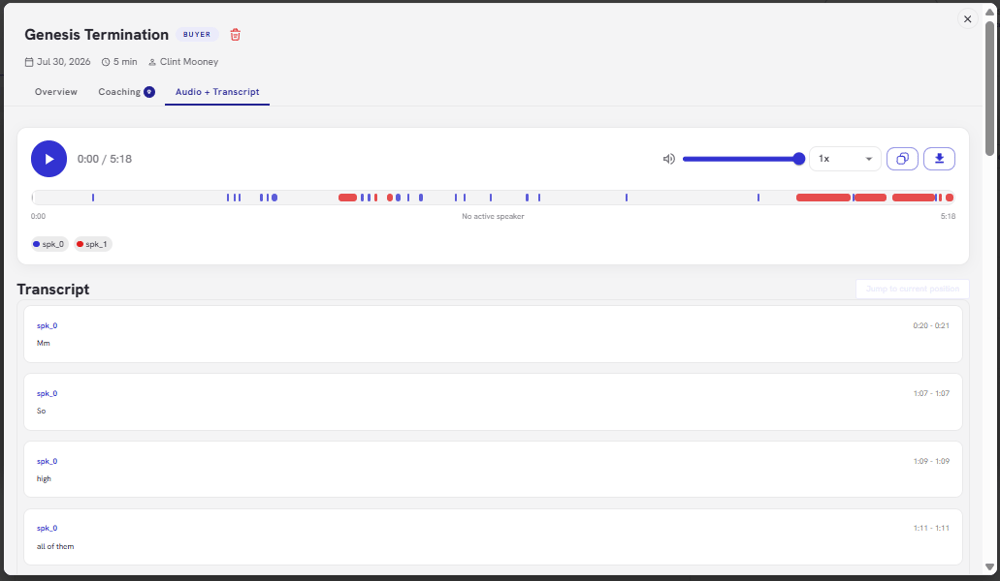
  • From the dashboard media player:
    • You can listen to the recording directly on the platform
    • Click Download to save the audio file
    • Click View Transcript
    • Includes a color-coded speaker breakdown
 

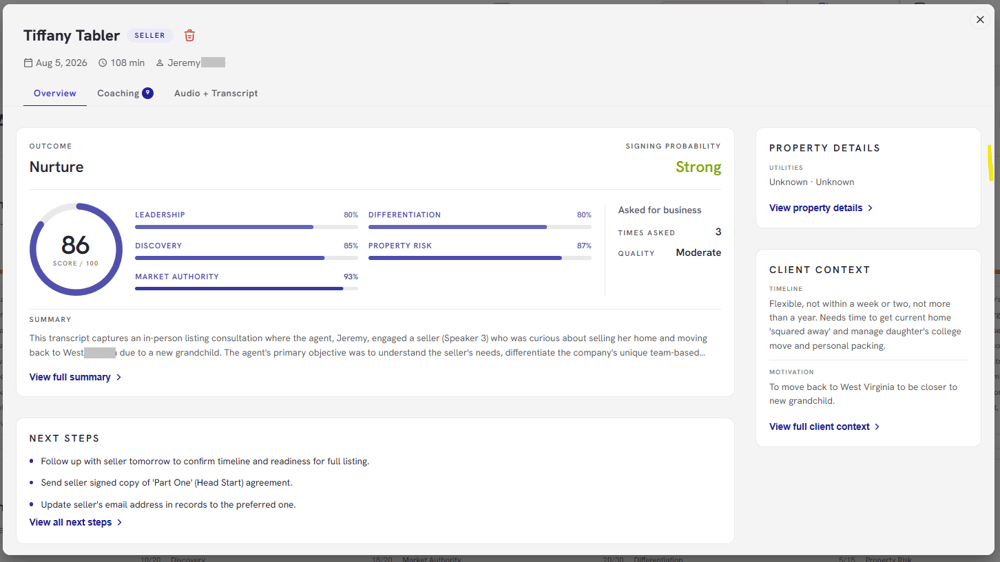
  • On the left side, you will find a comprehensive analytical breakdown of the following:
    • Conversion Probability and Outcome Status
    • Overall Performance Score
    • Overview Summary
    • Category Score Breakdown


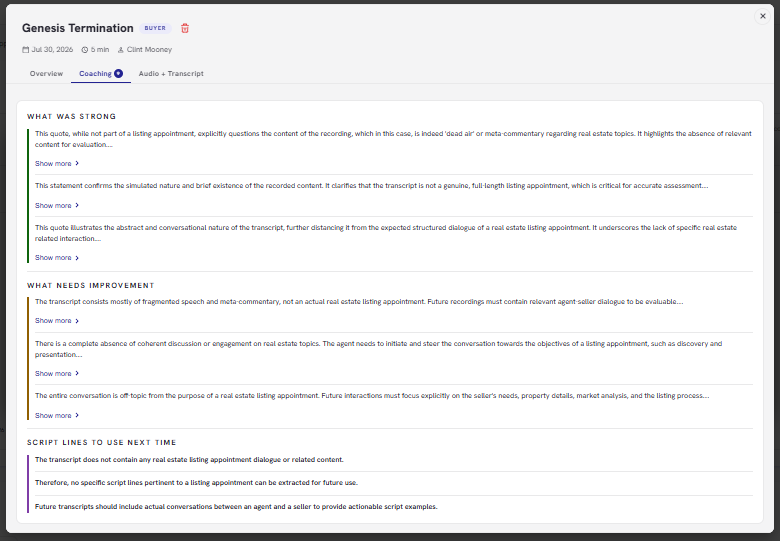
  • Review “What Was Strong” section to view highlights demonstrated during the appointment


  • Review “What Needs Improvement” section to view critical growth areas


  • Review “Script Lines to Use Next Time” for future conversations


  • Click the See More link under this section to expand and read the full, AI-generated summary compiled directly from the conversation transcript


  • Review Next Actions to see an automated list of actionable items


  • Navigate to the Agreed Plan to review the strategic roadmap established during the call


  • Review Prep, Repairs, and Paperwork Overview

  • Key Risks Identified section automatically scans your conversation transcript to flag underlying transaction hurdles in real time


  • Financial Risk Scan section monitors key property conditions discussed during the call that could impact valuation or repair costs
  • Status and Next Milestones panel tracks the current health and structural trajectory of the deal


  • Client Profile section maps out the underlying human elements of the transaction


  • View Property Snapshot to review structural specs and value-adds straight from the discussion