

To access the integration settings, go to RealSynch menu tab:
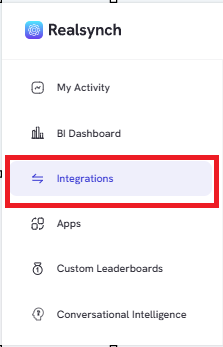
Select the Ellipsis on the right side of the Integration:

Edit: This option will allow you to edit all settings on the integration. It will take you back through the same options provided during the setup of the integration.
Pause/ Resume: This will allow you to pause or resume your integration as needed.
Task History: This option allows you to see the tasks or errors that have gone through the integration.
Delete: This will permanently delete the integration from the dashboard. Active integrations must be deactivated prior to deletion.

.png?width=45&name=unnamed%20(4).png)