.png?width=45&name=unnamed%20(4).png)

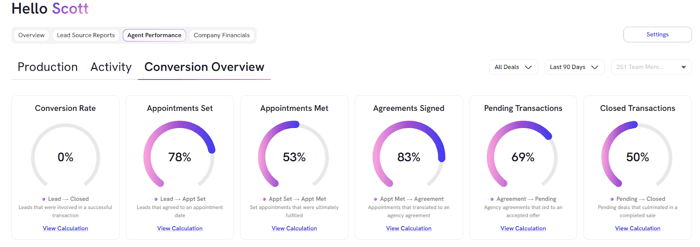
The Conversion Overview measures how effectively agents move opportunities through each stage of the sales pipeline
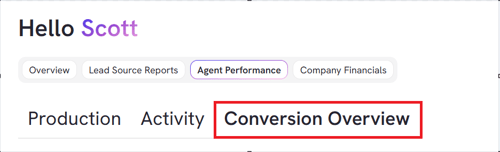
- From BI tool dashboard, click Agent Performance

- From there, Click on Conversion Overview
Each percentage in the Conversion Overview tracks how many opportunities that entered Stage A during the selected timeframe advanced to Stage B within that same period.
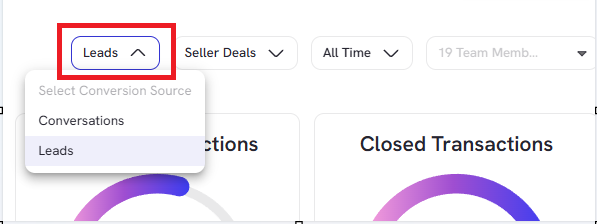
- Toggle dropdown to check conversion rates based on either Leads or Conversation:
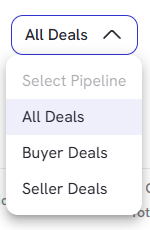
- Check on Deals to filter All, Buyer or Seller Deals
- Filter timeframe dropdown based and select any custom date range
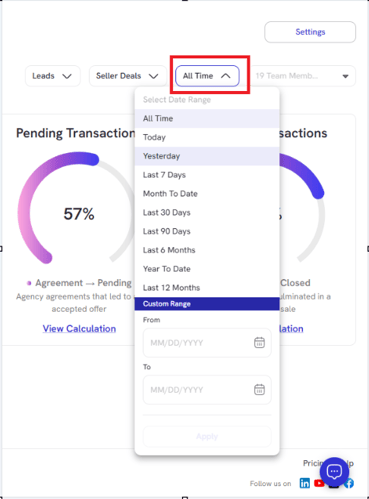
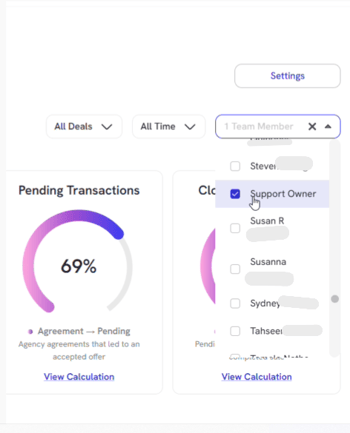
- Use Team Member dropdown to filter down agents data you want to look at under Conversion Overview
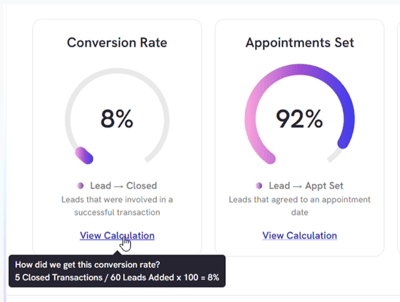
- Hovering over each rate displays the formula used for that specific conversion calculation
*Skipped stages are automatically inferred by RealSynch BI, ensuring continuity in the pipeline