.png?width=45&name=unnamed%20(4).png)

Overview
The AI Assistant is embedded in the BI dashboard and mobile application to help real estate agents streamline their workflows. Key functionalities include:
- Real-Time Business Insights: Access key performance indicators (KPIs), lead tracking, and sales analytics.
- Task Automation: Helps manage appointments, reminders, and client follow-ups.
- Integration Assistance: Guides users through CRM and third-party tool integrations.
- FAQ & Troubleshooting: Provides instant support for common queries.
- Getting Personalized Insights: The AI will analyze your past performance and suggest areas for improvement
How to Use
- Go to client.realsynch.com
- Click "Login" to access your dashboard.
- Click on the message icon on the bottom right of the dashboard
 .
.
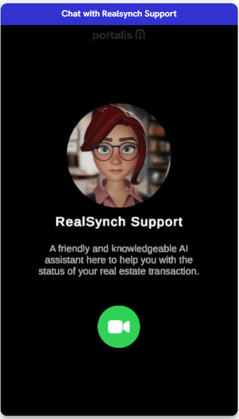
5. Follow the provided instructions below or request additional assistance.
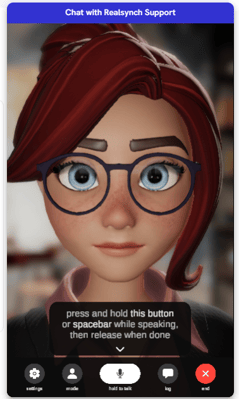
Best Practices for Interaction
- Ask specific questions like "How do I check my lead sources?"
- If the response is unclear, ask for clarification.
- Follow step-by-step instructions provided by the AI.
Sample Questions
Dashboard Usage
- What is the purpose of the BI Dashboard?
- How will the dashboard help my business?
- Where can I find my lead sources?
Account and Settings
- How do I update my password?
- How can I update my credit card information?
Lead and Transaction Management
- How do I edit the spend for my lead sources?
- How do I set up a CRM connection?
Performance Tracking
- Where can I see my closed sales volume for this month?
- Can I track whether my goals for calls and transactions have been met?
- How do I view the leaderboard for top-performing agents?
Troubleshooting Common Issues
Issue: AI Assistant is not responding.
- Ensure you have an active internet connection.
- Refresh the dashboard or mobile app.
- Restart the application and try again.
Issue: Incorrect or outdated responses.
- Report discrepancies to support for real-time updates.
Issue: Cannot find specific reports or metrics.
- Ask the AI Assistant for navigation guidance.
- Contact support@realsynch.com
Support and Contact Information
For additional help, contact the RealSynch support team via:
- Help Center: Accessible through the BI Dashboard.
- Feedback Form: Accessible through the BI Dashboard.
- Email: support@realsynch.com