

This article contains a step-by-step guide to change your payment method on RealSynch BI Dashboard.
- From your Business Intelligence Dashboard, go to Owner Panel (gear icon on the lower left side)

- Go to Subscription Plan / Billing
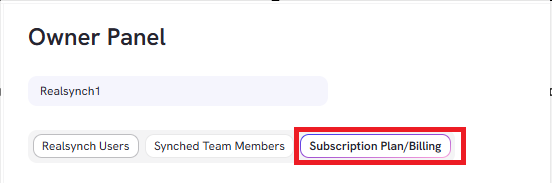
- Click Change Plan for plan adjustments depending on how many users you will add to your account

- Click on Change Payment Method on the right-hand side under Billing Details:
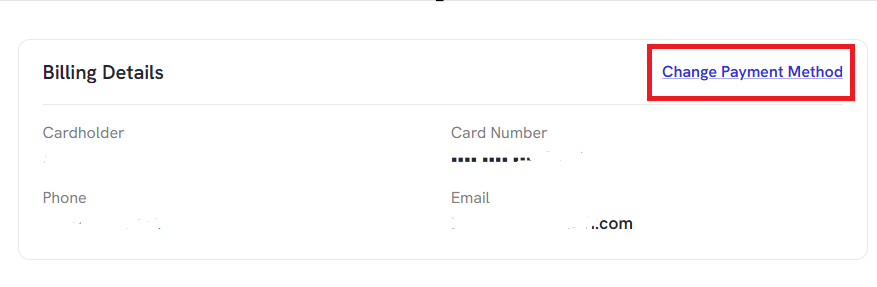
- You will be redirected to the Stripe billing page.
- Select the Add Payment Method button.

- Enter the required information, then click Add.

You have now updated your Payment Method!
