.png?width=45&name=unnamed%20(4).png)

This guide will walk you through your Settings and Filters to help you personalize and manage your team’s dashboard views effectively.
- Access Settings menu on the left panel.

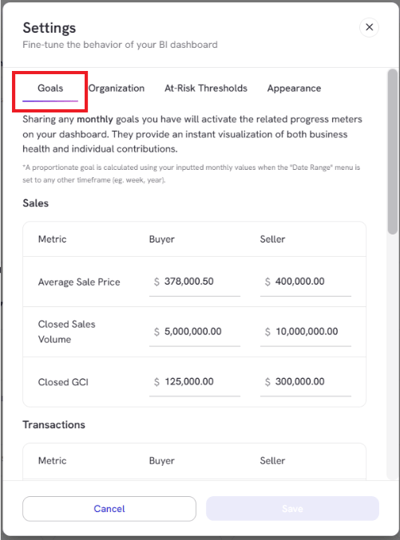
- Settings > Goals: Set monthly targets for Sales, Transactions, and Calls
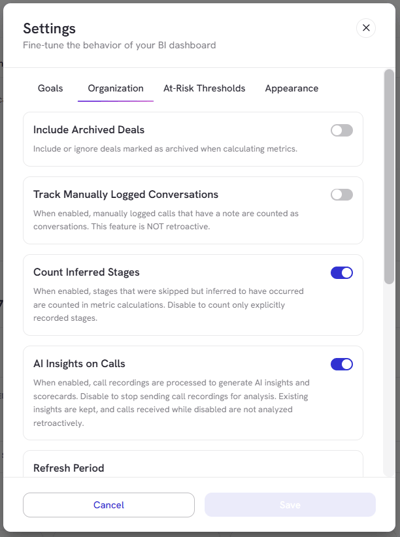
- Settings > Organization: enable Archived deals, Manually Logged Conversations, Count Inferred Stages, Change the Refresh Period, or adjust the Appointment Created Window
-
At-Risk Thresholds automatically flags deals that have stalled based on time in stage
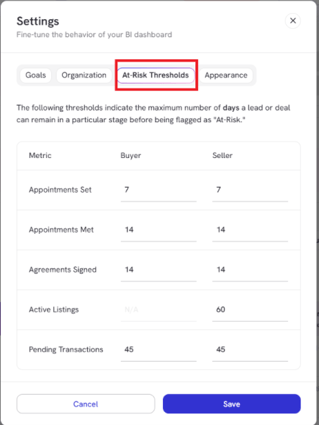
*Once it passes the max threshold, it drops off to keep this list clean
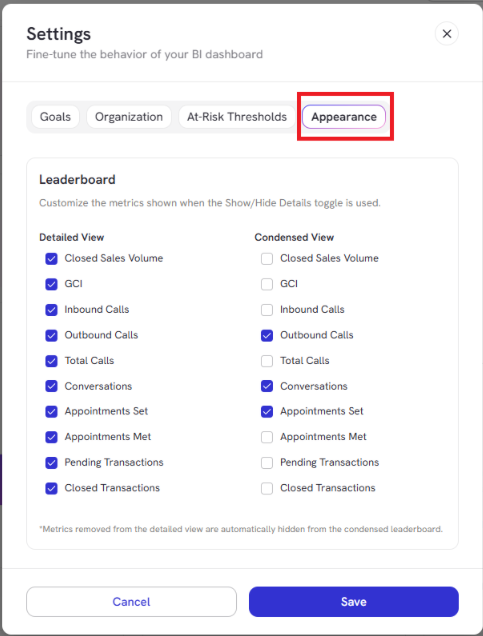
- Settings > Appearance:
- Show Agent Performance Score for their in person appointment AI Insights
- Disable Team Commission Metrics
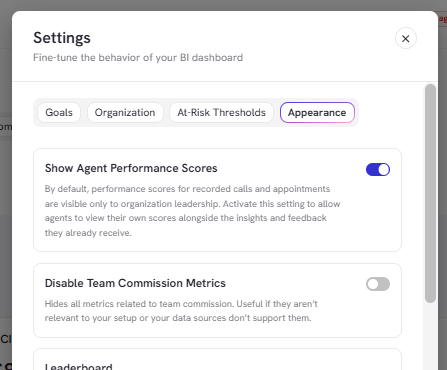
- Choose which Leaderboard metrics to show or hide in both detailed and condensed views, then click Save to apply your changes
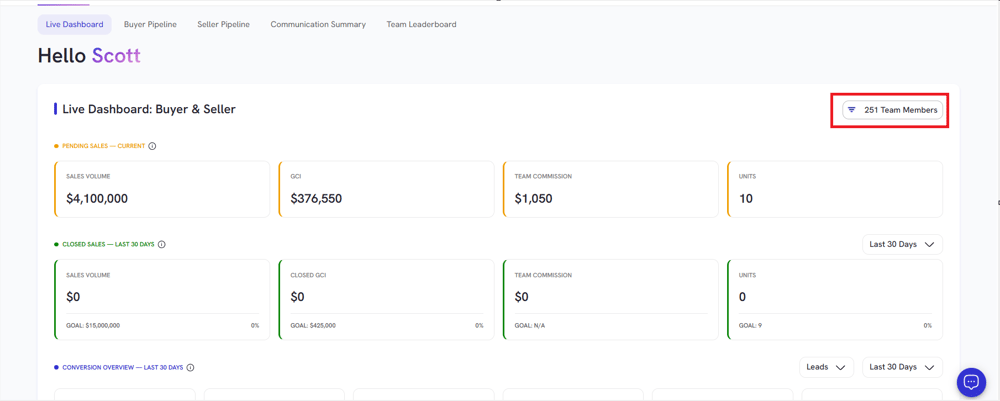
- Team Member Filter: shows Active, Inactive, or a specific agent by name to isolate performance data
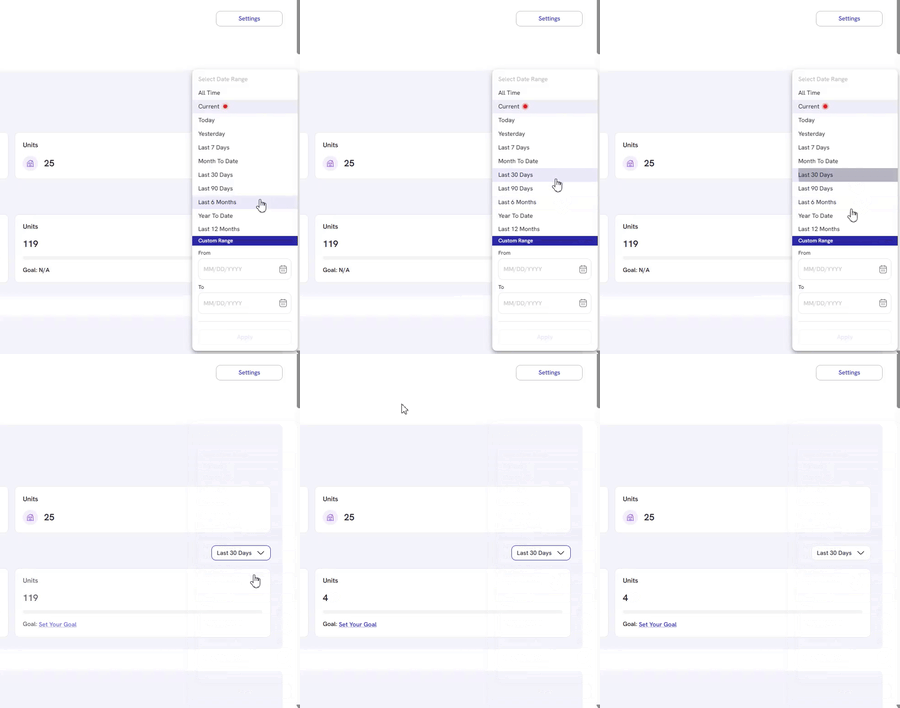
- Timeframe Dropdown: Select any custom date range, up to 2 years of historical data.
- Auto Refresh Feature:
- Screen refreshes every 5 minutes (default setting) to reflect the latest data from integrated systems. This option can be changed under Settings > Organization.
- Users can also manually refresh the data.