.png?width=45&name=unnamed%20(4).png)

The Pipeline Dashboards give you a visual command center for your entire business flow. Each pipeline (Buyer and Seller) comes with its own conversion metrics, activity tracking, and At-Risk indicators so you can quickly identify bottlenecks and take action.
- Live Dashboard displays your current deal flow for both Buyer and Seller pipelines. It consolidates real-time data into key metrics for Pending and Closed Sales, keeping your pipeline health front and center.
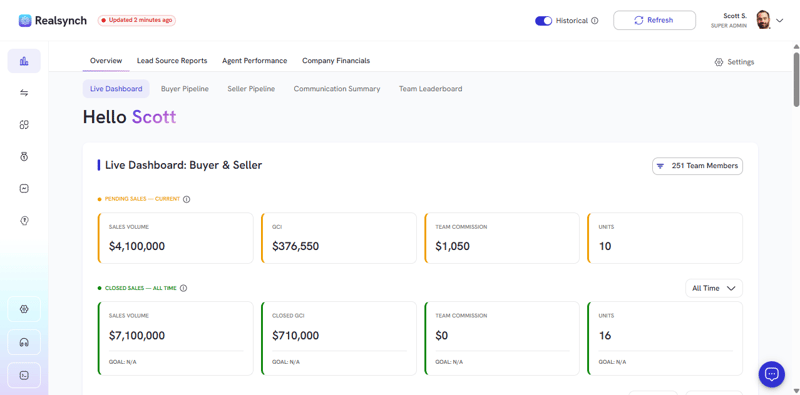
Use the timeframe dropdown to compare Closed Sales performance across multiple periods while keeping a live view of your active (Pending) pipeline for real-time forecasting.
- Conversion Overview shows how efficiently your leads move through each stage of your sales pipeline.
-1.gif?width=800&height=398&name=ezgif.com-gif-maker%20(3)-1.gif)
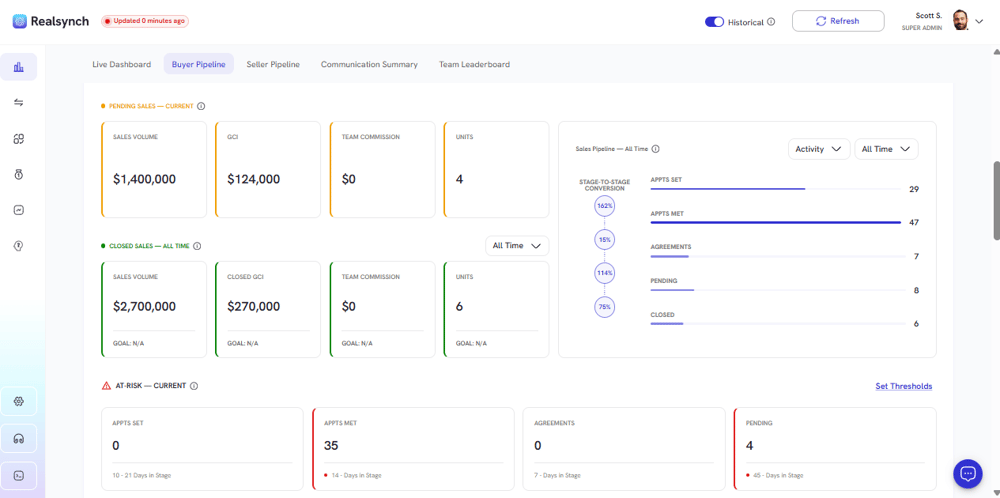
- Buyer Dashboard focuses exclusively on buyer-side activity and performance metrics.
- Metrics Displayed
- Appointments Set & Met
- Agreements Signed
- Pending Transactions
- Closed Deals
Buyer At-Risk Section:
Automatically highlights buyer opportunities that haven’t moved forward within the set time thresholds (e.g., more than 7 days in Appointment Set).
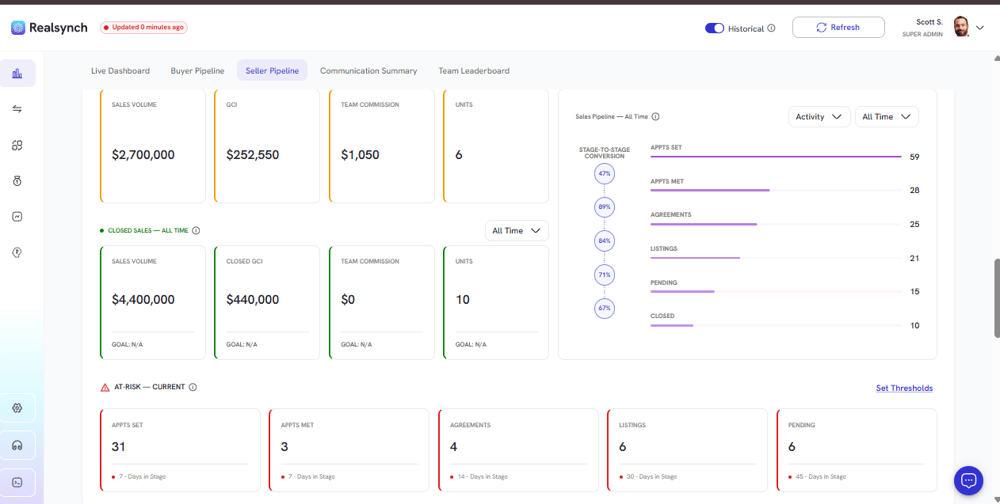
- Seller Dashboard provides insight into listing performance and seller-side deal flow
- Metrics Displayed
- Appointments Set & Met
- Agreements Signed
- Active Listings
- Pending Transactions
- Closed Deals
Seller At-Risk Section:
Flags deals or listings that have remained in the same stage too long (e.g., 30+ days in Active Listing or 14+ days post-Agreement).