
.png?width=45&name=unnamed%20(4).png)

- Found on the left hand side of your dashboard (gear icon)
- Manage who can view and appear in dashboard widgets, click Synced Team Members

- Exclude specific agents from widgets using the ellipsis

- Select which widgets you want to exclude then hit Save Changes:
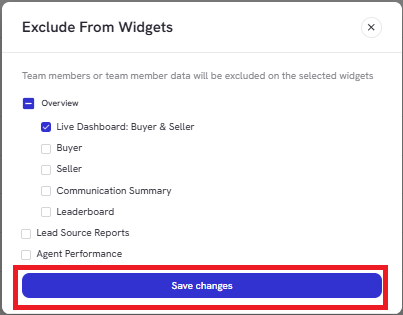
When excluded, an agent’s metrics will no longer appear in dropdowns or widget data views.