
.png?width=45&name=unnamed%20(4).png)

This section allows administrators to customize display visibility, hide irrelevant financial metrics, and control exactly which data points appear on team leaderboards in both Detailed and Condensed views
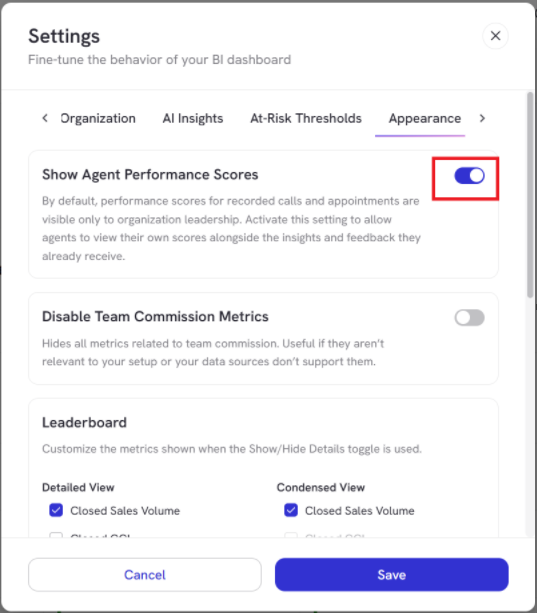
- Toggle on Show Agent Performance Scores to allow agents to view their own scores directly alongside their feedback and insights
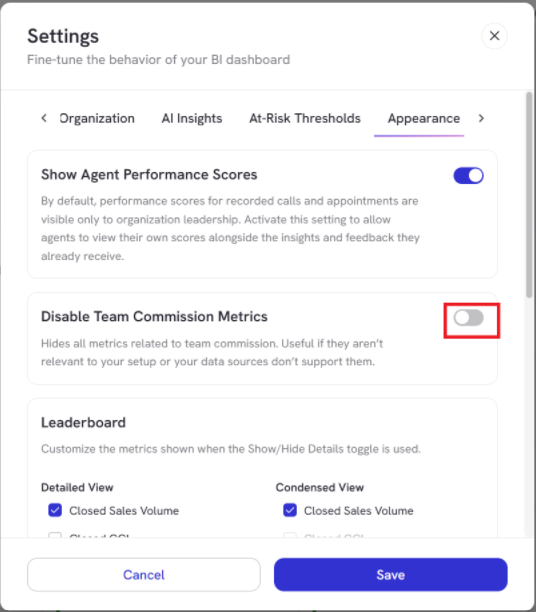
- Toggle on Disable Team Commission Metric to hide all commission-related metrics across the dashboard
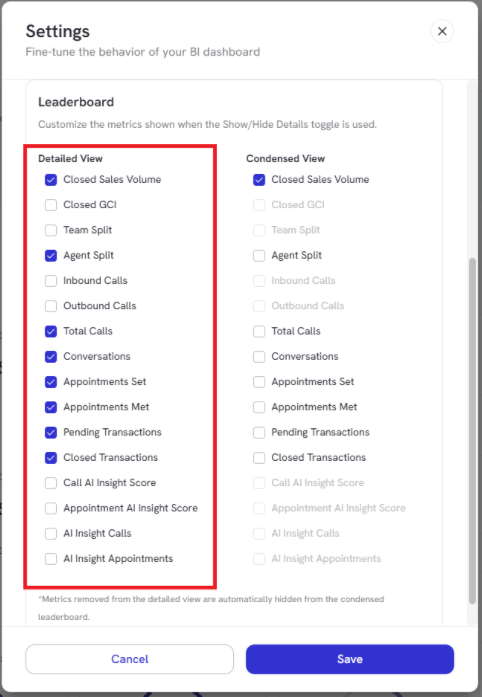
Customize the specific metrics shown when toggling between Detailed and Condensed views.
- Detailed View: Check or uncheck individual metrics to include in the expanded leaderboard
- Condensed View: Controls the simplified leaderboard layout.
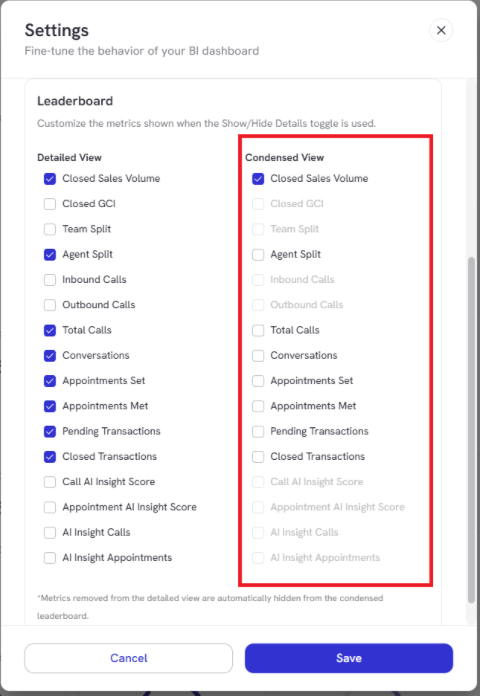
Note that any metrics removed from the Detailed View are automatically excluded from the Condensed View.
Once your display and leaderboard preferences are configured, click Save at the bottom right to apply the changes across your dashboard.